
iPhone မှာ GOFX AI
App Store ကနေ download မလိုပါ: GOFX AI web app က app လိုပဲ အလုပ်လုပ်ပါတယ် - screen အပြည့်၊ signal alerts၊ Ask GOFX AI၊ ဈေးကွက်နဲ့ သင့် account။ Android နဲ့ login တူတူပါ။
Safari မှာ gofxai.com/app ကိုသွားပါ။
အောက်ခြေရှိ မြားပါသော လေးထောင့်ပုံ။
ထို့နောက် Add ကိုနှိပ်ပါ - GOFX AI icon ပေါ်လာမည်။
Home Screen ကနေဖွင့်ပြီး sign in လုပ်ကာ notifications ခွင့်ပြုပါ။
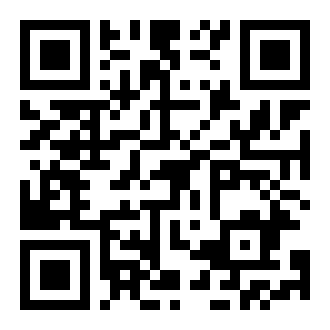
ဖုန်းကင်မရာဖြင့် စကင်ဖတ်ပါ
Telegram, Instagram ဒါမှမဟုတ် Google app ထဲမှာ ဖွင့်ထားလား? ဒီစာမျက်နှာကို Safari မှာ အရင်ဖွင့်ပါ - Home Screen ထဲ ထည့်လို့ရတာ Safari တစ်ခုတည်းပါ။
plan ရွေးပါ - crypto နဲ့ 40% အထိ သက်သာပါ
app နှင့် အစီအစဉ်တူသည်။ ဤ website တွင် USDT (TRC20) သို့မဟုတ် Binance Pay ဖြင့် ပိုသက်သာသော ဈေးနှုန်းဖြင့် ပေးချေနိုင်ပြီး၊ Android app အတွင်းတွင် Google Play ဖြင့်လည်း ပေးချေနိုင်သည်။ မိနစ်ပိုင်းအတွင်း သင့်အကောင့်တွင် အသက်ဝင်မည်။
ထရိတ်ဒါများ မေးလေ့ရှိသော မေးခွန်းများ
App Store မှာ GOFX AI app ရှိလား?
မရှိသေးပါဘူး။ iPhone နဲ့ iPad မှာ GOFX AI ကို gofxai.com/app ကနေ web app အဖြစ် သုံးရပါတယ်။ Home Screen ထဲ ထည့်လိုက်ရင် app လိုပဲ screen အပြည့် ပွင့်ပြီး notification တွေလည်း ရပါတယ်။
iPhone မှာ signal notification တွေ အလုပ်လုပ်လား?
အလုပ်လုပ်ပါတယ်၊ iOS 16.4 နဲ့ အထက်မှာ GOFX AI ကို Home Screen ထဲ ထည့်ပြီး notification ကို ခွင့်ပြုထားရင်ပါ။ Safari tab တစ်ခုတည်းနဲ့တော့ လက်ခံလို့ မရပါဘူး။
Android app နဲ့ အကောင့်တူတူပဲလား?
အတူတူပါပဲ။ email တူတူနဲ့ sign in ဝင်ရင် သင့် plan, signal တွေနဲ့ settings အားလုံး ရှိနေပါမယ်။
iPhone မှာ Premium ကို ဘယ်လိုပေးချေရမလဲ?
On the website with USDT (TRC20 or BEP20) or Binance Pay - no App Store needed. Paying with crypto costs less than the app-store price, and longer plans save more. The plan is added to your account at once.
crypto တစ်ခါမှ မဝယ်ဖူးပါ - iPhone ပေါ်မှာ ပေးချေလို့ ရနိုင်ပါသလား?
Yes. In a large exchange app (Binance, Bybit or OKX) you can buy USDT with a card, Apple Pay / Google Pay where the exchange offers it, or P2P, then send it to the address on our payment page (network TRON / TRC20, or BNB Smart Chain / BEP20 for the lowest fee). It takes about 5 minutes; the exchange shows its own fee and does its own ID check.
Home Screen ထဲ ထည့်ပြီးရင် ထပ်ပြီး sign in ဝင်ရမလား?
iOS 17.2 နဲ့ အထက်မှာ Safari ထဲမှာ အရင် sign in ဝင်ပြီးမှ Home Screen ထဲ ထည့်ပါ - sign in ဝင်ထားတဲ့အတိုင်း ဆက်ရှိနေပါမယ်။