
iPhone එකේ GOFX AI
App Store download අවශ්ය නැහැ: GOFX AI web app එක app එකක් මෙන් ක්රියා කරයි - සම්පූර්ණ තිරය, signal alerts, Ask GOFX AI, වෙළඳපොළ සහ ඔබේ ගිණුම. Android හි එකම login එක.
Safari හි gofxai.com/app වෙත යන්න.
පහළ ඇති ඊතලය සහිත හතරැස.
ඉන්පසු Add ඔබන්න - GOFX AI අයිකනය දිස් වේ.
Home Screen එකෙන් විවෘත කර, sign in වී notifications ඉඩ දෙන්න.
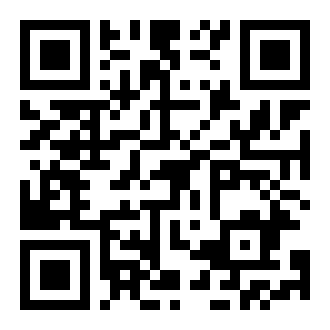
ඔබේ ෆෝන් කැමරාවෙන් ස්කෑන් කරන්න
Telegram, Instagram හෝ Google app එක ඇතුළේ open කළාද? මේ page එක මුලින් Safari එකේ open කරන්න - Home Screen එකට add කරන්න පුළුවන් Safari වලින් විතරයි.
සැලසුමක් තෝරන්න - crypto වලින් 40% දක්වා ඉතිරි කරන්න
ඇප් එකේ තියෙන සැලසුම්ම. අඩු මිලකට මෙම වෙබ් අඩවියේ USDT (TRC20) හෝ Binance Pay මගින් ගෙවන්න, නැතිනම් Android ඇප් එක තුළ Google Play මගින්. විනාඩි කිහිපයකින් ඔබේ ගිණුමේ සක්රිය වේ.
ට්රේඩර්ස්ලා අසන ප්රශ්න
App Store එකේ GOFX AI app එකක් තියෙනවද?
තාම නැහැ. iPhone සහ iPad වල GOFX AI වැඩ කරන්නේ gofxai.com/app හරහා web app එකක් විදියටයි: Home Screen එකට add කළාම app එකක් වගේ full screen එකෙන් open වෙනවා, notifications එක්කම.
iPhone එකේ signal notifications වැඩ කරනවද?
ඔව්, iOS 16.4 හෝ ඊට අලුත් version එකක, GOFX AI ඔබේ Home Screen එකේ තියෙලා notifications allow කළාම. Safari tab එකකට විතරක් ඒවා ලැබෙන්නේ නැහැ.
Android app එකේ account එකම ද?
ඔව්. එකම email එකෙන් sign in වෙන්න, ඔබේ plan එක, signals සහ settings ඔක්කොම එහේ තියෙනවා.
iPhone එකේ Premium සඳහා ගෙවන්නේ කොහොමද?
On the website with USDT (TRC20 or BEP20) or Binance Pay - no App Store needed. Paying with crypto costs less than the app-store price, and longer plans save more. The plan is added to your account at once.
මම කවදාවත් crypto ගෙන නැහැ - iPhone එකෙන් ගෙවන්න පුළුවන්ද?
Yes. In a large exchange app (Binance, Bybit or OKX) you can buy USDT with a card, Apple Pay / Google Pay where the exchange offers it, or P2P, then send it to the address on our payment page (network TRON / TRC20, or BNB Smart Chain / BEP20 for the lowest fee). It takes about 5 minutes; the exchange shows its own fee and does its own ID check.
Home Screen එකට add කළාට පස්සේ නැවත sign in වෙන්න ඕනෙද?
iOS 17.2 හෝ ඊට අලුත් version එකක නම්, මුලින්ම Safari එකේ sign in වෙලා ඉන්පසු Home Screen එකට add කරන්න - ඔබ sign in වෙලාම ඉන්නවා.